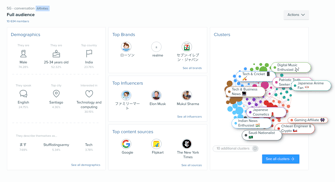
Overview
Follow this article to learn how to create an Audiense Insights report using authors exported from a social listening platform. If your social listening platform integrates directly with Audiense, you can send audiences to Audiense Insights without manually preparing an upload file. However, if an integration is unavailable, you can upload an exported audience manually to generate an Intelligence report. This workflow is useful when you want to enrich conversation data from another platform with Audiense's audience intelligence, segmentation, and affinity analysis.
Before You Begin
Before creating your report, export the authors from your social listening platform.
Your export should contain either:
- X usernames (handles)
- X User IDs
Only one identifier type should be used per upload.
Although social listening platforms typically export additional information, such as engagement metrics or post content, only the X usernames or X User IDs are required to create an Audiense Insights report.
Prepare Your Upload File
Before uploading your audience, prepare a text file containing only the audience identifiers.
The upload file must meet the following requirements:
- Contain a single column of X usernames or X User IDs.
- Include one user per line.
- Contain no column headers or additional data.
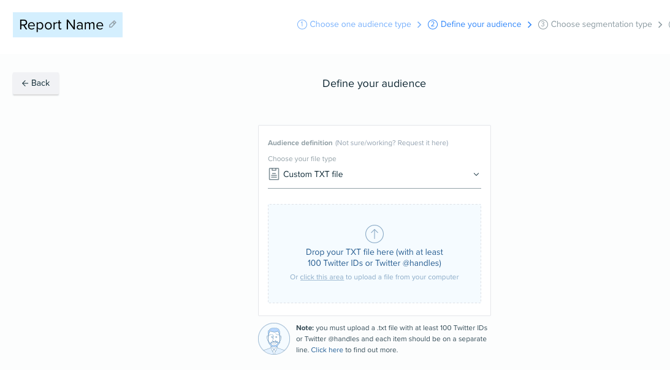
- Be saved as a UTF Unicode Text (.txt) file.
The audience must contain:
- A minimum of 100 unique users.
- A maximum of 1,000,000 users.
Duplicate users should be removed before uploading the file to ensure the audience is processed correctly.
Create the Report
To create an Intelligence report:
- From the Audiense Insights dashboard, select Create New Report.
- Enter a name for the report.
- Select Upload Your Audience as the audience creation method.
- Upload your prepared .txt file.
- Select Next.
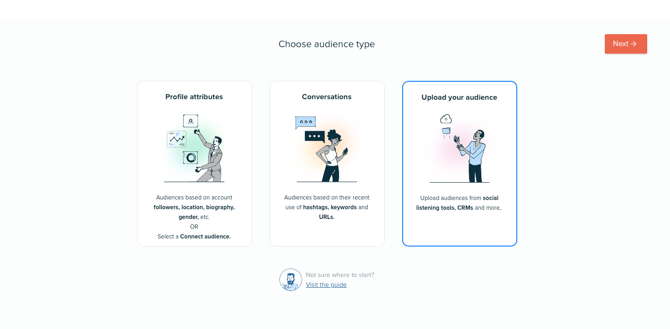
Choose a Segmentation Method
-
After uploading your audience, choose how Audiense should segment the report.
-
Available segmentation methods include:
-
Affinities: Groups users based on shared interests, behaviors, and audience affinities, helping identify communities with similar characteristics.
-
Interconnections: Groups users based on the relationships and connections between audience members, revealing naturally connected communities.
-
-
Select the segmentation method that best supports your research objectives before continuing.
Generate the Report
-
Select Next to begin processing your audience.
-
Audiense enriches the uploaded audience, identifies audience segments, and generates an Intelligence report containing demographic, behavioral, interest, and affinity insights.
-
Depending on the size of the uploaded audience, report generation may take several minutes.
Results
Once processing is complete, you can begin exploring your audience through the available Intelligence report visualizations and insights. By combining authors exported from your social listening platform with Audiense's audience enrichment and segmentation capabilities, you can gain a deeper understanding of the people participating in conversations relevant to your brand, products, competitors, or industry.